


SPC COMFORT VOLUME 2
SPC COMFORT VOLUME 2
Regular price
€39,90
Selling price
€39,90
Regular price
Taxes included.
To call the one you want to call. Without mistakes or doubts.
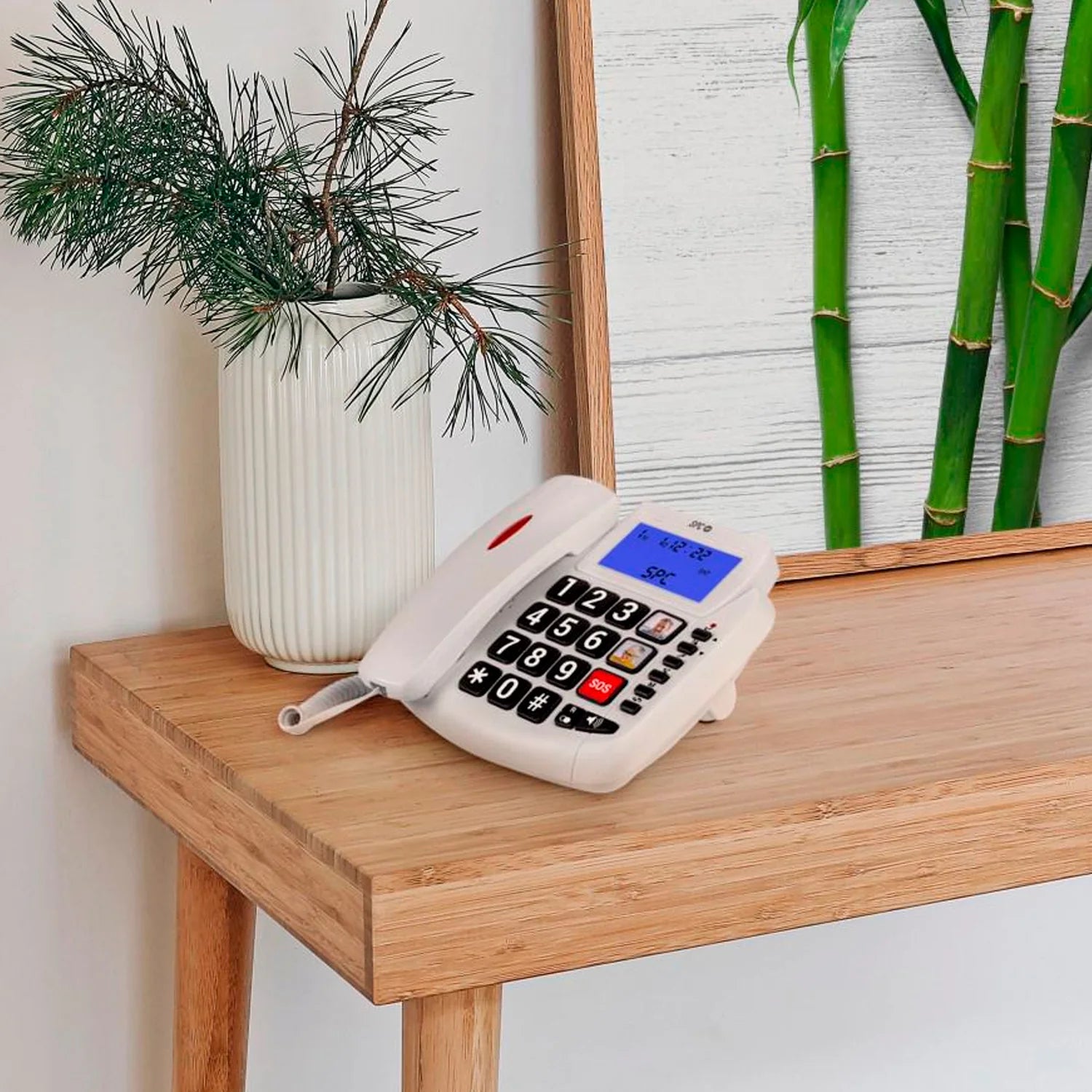
Landline phone designed for elderly people or those with vision and hearing difficulties. It includes a lit screen, large keys, loud volume, 3 direct memories, light alert for incoming calls, and is compatible with hearing aids.
Apresentação do produto
Apresentação do produto
Especificações técnicas
Especificações técnicas
Related products
Call and see who is calling at a glance
-

Backlit screen with caller ID
-

Very large keys to dial without mistakes
-

Direct memories with photo to call important contacts with one press
-

Light signal in the earpiece to notify of calls


Todo claro y sencillo desde el primer momento
Teclas fáciles de pulsar y muy visibles
Memorias directas con foto sin pasar por la agenda
Uso sencillo, sin menús ni configuraciones complicadas
An extra measure of trust in every call
Light indicator that accompanies the doorbell to signal the arrival of a call
Configurable doorbell volume in 2 levels: low (70dB) and high (78dB)
Compatible with headphones for interference-free conversations

Technical support
Send our team a message and we will reply as soon as possible
How do I start using the telephone when I receive it at home?
How do I start using the telephone when I receive it at home?
Connect the telephone to the line socket, insert the required batteries (4 type AA) for the screen, and you can start calling. No complicated settings needed.
Is it easy to dial if I have poor eyesight?
Is it easy to dial if I have poor eyesight?
Yes. The numbers are large and with high contrast, designed to dial without mistakes even with vision problems.
Is it loud enough if I have hearing difficulties?
Is it loud enough if I have hearing difficulties?
Yes. The bell is very loud and during the call you can activate an extra volume boost of 10dB more to hear the speaker better.
Can I quickly call my favorite people?
Can I quickly call my favorite people?
Yes. You can save up to 3 contacts in the direct memories with a photo and call them by just pressing a button.
How do I know someone is calling me if I cannot hear the doorbell well?
How do I know someone is calling me if I cannot hear the doorbell well?
The telephone has a red light on the handset that flashes when a call comes in, so you can also see it and not miss any important call.